 SaaS Explained
SaaS and installed software compared
Last reviewed
The short version
- Installed software runs on your own computers. You look after it.
- SaaS runs on the provider's computers. They look after it.
- The two differ in where it runs, who updates it, how you open it and how you buy it.
Installed software
Installed software is also called on-premises or "on-prem" software. It is installed and runs on computers at the user's own site. It doesn't run at a remote site such as a server farm or the cloud.[1]
"Premises" just means the building you work in. So on-premises software lives in your own office or on your own machines.
SaaS
With SaaS, the program runs at the provider. You reach it over the internet. You can read more on the SaaS page.
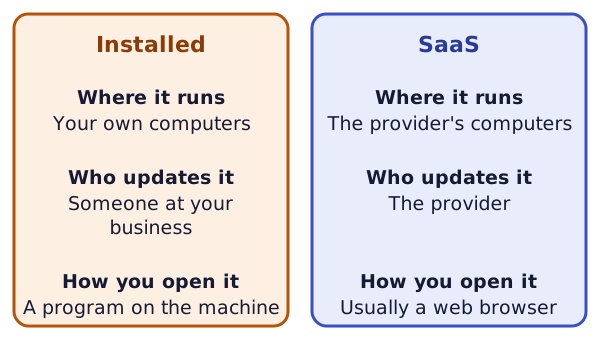
Where the differences show up
Setup. Wikipedia says on-premises software brings costs for hardware and for software installation and examination.[1] Cloud-based software users only need to install an application or a web browser.[1]
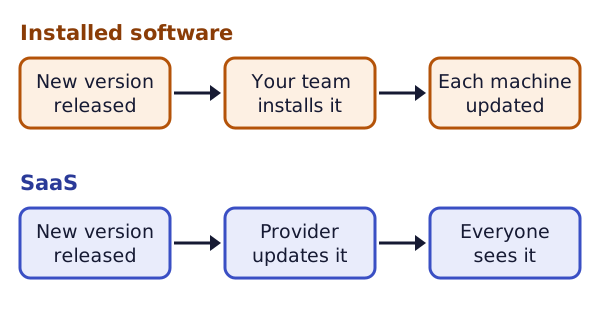
Updates. A SaaS provider can roll out updates to all customers nearly instantly.[2] With installed software, the program sits on your own machines. So someone at your business has to run each update there.
Buying. Unlike traditional software, SaaS rarely lets you buy a perpetual license for a particular version.[2] A perpetual license is permission to use that version with no end date. This site doesn't cover prices.
Access. SaaS is usually opened in a browser. It can also come with a locally installed app, which doesn't make it installed software.[2] The test is still where the main program runs.
A made-up example
Picture a small office and a made-up accounting program called Example Books at example.com.
In the installed version, the program sits on the office computer. Your team keeps that computer running and installs each new version.
In the SaaS version, the program runs at the provider. NIST says SaaS applications are accessible from various client devices.[3] So the same tool can open on a laptop or a phone.
Questions the difference raises
Moving from one kind to the other changes who does certain jobs. It's worth asking:
- Who keeps the program running?
- Who decides when an update arrives?
- Where is my data stored, and who can get it back out?
The last one has its own page: data portability.
Which one is right for you?
This site can't tell you. It doesn't rank or recommend products. The choice depends on things only you know, such as who looks after your computers and what rules your business works under.
For a big choice, ask a qualified IT adviser. For contract or legal questions, ask a lawyer.
Sources
- On-premises software, Wikipedia (accessed 2026-11-18)
- Software as a service, Wikipedia (accessed 2026-11-18)
- Software as a Service (SaaS) - Glossary, NIST (accessed 2026-11-18)